# My VSCode Settings
Collection of AsmrProg Youtube Channel VSCode Extensions That We Used in Videos!
### Tutorial Video's
Find Video's on : AsmrProg Youtube Channel
# Settings
Here are my vscode settings for Font and Cursor :
Search for **"Cursor"** in VSCode settings and set this for cursor animations:
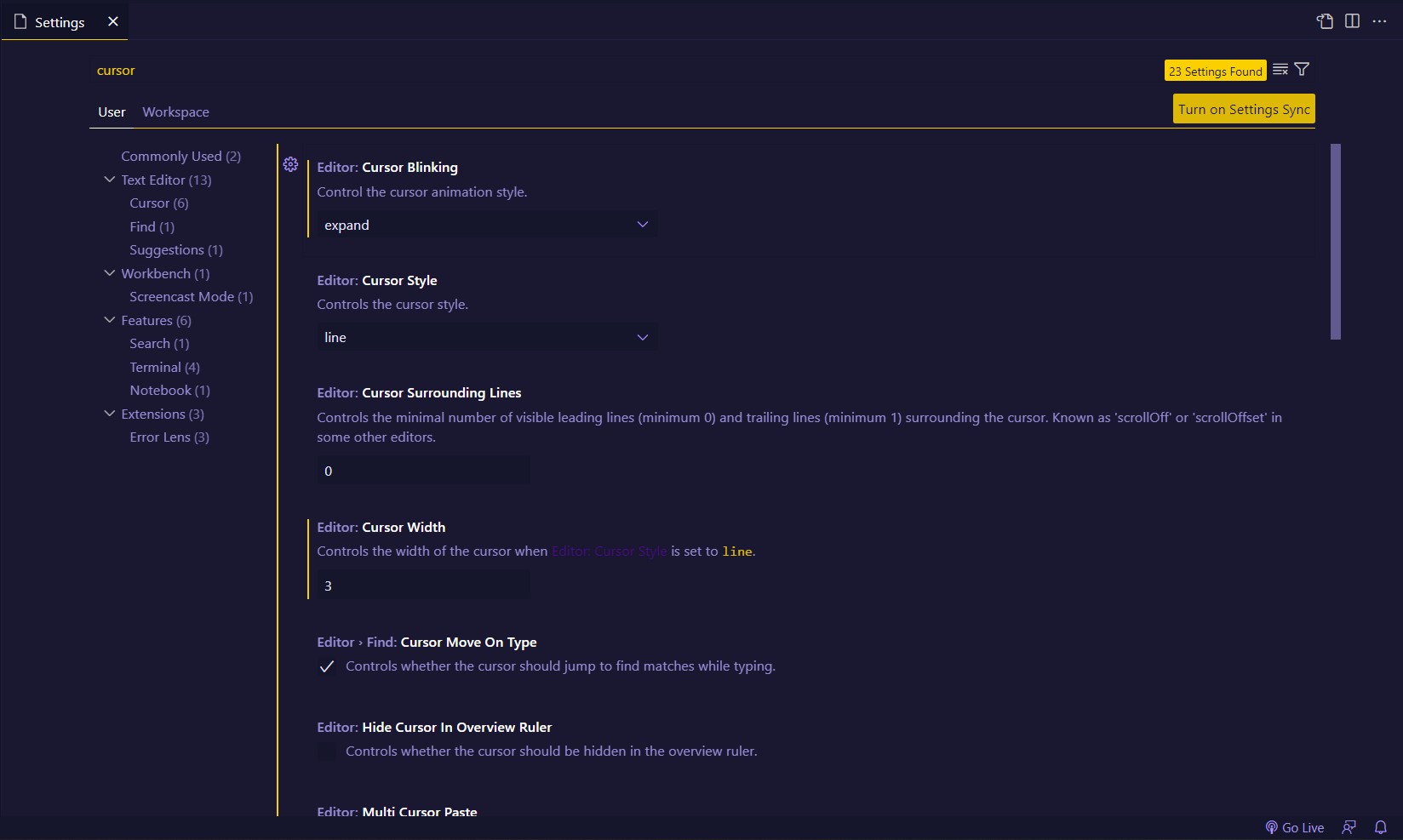
for Font i'm using **"Cascadia Code"** Font Family Download From Here with 16px Size.

# Extensions List & Usage
Here are the list on Extensions that i'm using this days (We will update this post if we changed our Extensions) :
1. Beautify : Beautify css, sass and less code (extension for Visual Studio Code).
2. Codesnap : We take our community posts screenshots (Tip of Day Posts) with this extension.
3. Error Lens : Improve highlighting of errors, warnings and other language diagnostics.
4. HTML To CSS Autocompletion : Provides completion suggestions for classes and ids from markup documents to stylesheets.
5. Intellicode : The Visual Studio IntelliCode extension provides AI-assisted development features for Python, TypeScript/JavaScript and Java developers in Visual Studio Code, with insights based on understanding your code context combined with machine learning.
6. VSCode Icons : Icons for Visual Studio Code (files icons).
## My Live Code Result Extensions
1. Live Server : Launch a development local Server with live reload feature for static & dynamic pages.
2. Live Preview : An extension that hosts a local server for you to preview your web projects on! (Updates preview without saving file).
## My Themes Extensions
I'm using Glassit-VSC Extension to set window to transparent with all of my themes.
Here are my themes list :
1. Ayu Theme
2. Firefly Theme
3. Omini Owl Theme
4. Reui Theme
5. Shades of Purple Theme
# Note That
If you find this README.md file helpful please Star + Follow our github. Also we will be happy if you support us in Youtube.
AsmrProg Youtube Channel