
fonticon


Tool for creating favicons and images from Font Awesome icons. The generated icon can be previewed live in the browser.
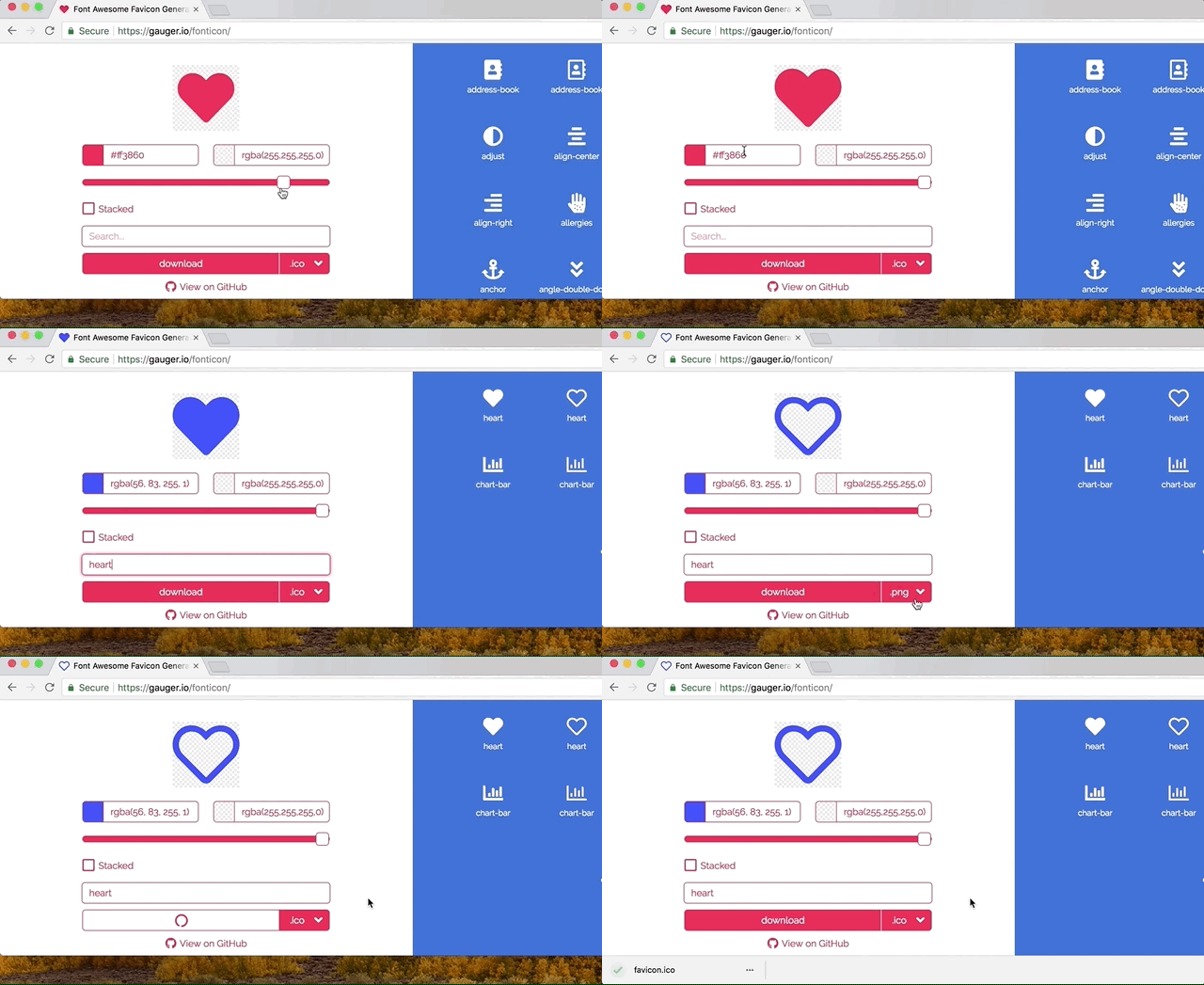
Features
- Latest Font Awesome 5.13.0
- Preview of favicon live in browser
- Download favicons with all features of realfavicongenerator.net
- Color icon and background by specifying any valid TinyColor value
- Font Awesome Pro support
- Transparent icon and background
- Fuzzy search and keyword search
- Support stacked icons
Font Awesome Pro
You can easily use your Font Awesome Pro purchase with fonticon!
Note: DO NOT FORGET TO EXECUTE THE LAST STEP!
You might make yourself legally liable otherwise.
- Add gauger.io as your Font Awesome Pro domain (link) and copy the resulting webfont tag.
- Navigate to gauger.io/fonticon and open the developer tools.
- Replace the existing Font Awesome <link> tag with your copied tag.
- Execute
enableFAPro()in the developer console. - Do your thing :)
- After you are done, remove gauger.io from your list of allowed domains!
Show detailed description
1. Add gauger.io as your Font Awesome Pro domain (link) and copy the resulting webfont tag.



Contributing
To contribute fork the repository and execute
git clone <YOUR_FORK>
cd fonticon
npm install
# Install pre-commit hooks for automatic code formatting (requires python to be installed).
npm run pre-commit
This installs all the necessary dependencies. Now you can build the code by running:
npm run build
Afterwards the index.html and other static assets can be found in the dist directory.
Alternatively, you can run:
npm run start:dev
This will start a webpack-dev-server. While the server is running you can go to localhost:8080 where all your changes will be reflected as soon as you save a file.
During your commit, all changed code will be formatted with Prettier and Black so no need to worry about formatting 😄🎉.