mirror of
https://github.com/lptstr/winfetch.git
synced 2026-09-24 07:15:12 -05:00


A command-line system information utility for Windows




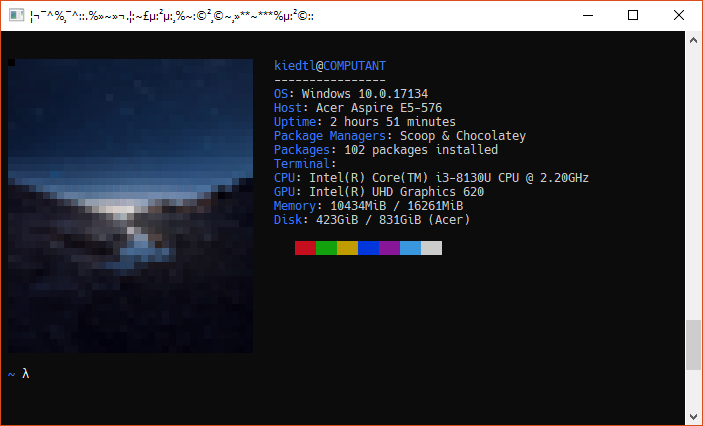
WinFetch is a command-line system information utility written in PowerShell 6+ for Windows. WinFetch displays information about your operating system, software and hardware in an way similar to Neofetch and Screenfetch.
WinFetch curently supports Windows 10; Windows 7 and Windows 8 have not yet been tested. It is highly recommended to use WinFetch with PowerShell 6+; errors may appear if any other version is used.
WinFetch can be considered to be in beta stage; while WinFetch does work in the majority of cases, things may break occasionally. Please report all such bugs here.
Features
Why you should use WinFetch:
- You don't any other choices.
- WinFetch is tiny. The whole thing is ~6.5KB and 170 lines of pure PowerShell, counting comments. Neofetch is about 280KB and 7500 lines of code - almost 50 times bigger!
- No need for the WSL - while you need to install the WSL (Windows Subsystem for Linux) to run Neofetch, all you need to use WinFetch is PowerShell 6 (or later), which you probably already have installed.